What are SKSpriteNode, SKTexture, and SKLabelNode, and how to work around them?
01 Jun 2023
On Apple Academy, I have developed a SpriteKit game called Rock Typer, a game that tracks a user’s typing speed by counting rocks that are typed. In this article, I want to share my approach to how to create a Rock object with text above its surface by using SKSpriteNode, SKTexture, and SKLabelNode.
When working with SpriteKit Framework in Swift programming, coders will encounter SKTexture, SKSpriteNode, and SKLabelNode. All of them are children of SKNode and serve the same purpose, to render certain objects to the SKScene, but in their unique ways.
In this article, I will explain the definitions and how to use them all together with Rock Typer’s example.
SKSpriteNode
SKSpriteNode is a graphical element that can be added to a SKScene.
You can initialize a sprite node from an image or a solid color, specify its size, anchor point, and position.
Adding an SKSpriteNode to SKScene
The code below is an example of adding SKSpriteNode to SKScene. I have an image of rock named rock1 and a SKScene file named “GameScene”.
import SpriteKit
import GameplayKit

class GameScene: SKScene {

    override func didMove(to view: SKView) {
        let rock = SKSpriteNode(imageNamed: "rock1")
        rock.size = CGSize(width: 330, height: 300)
        rock.anchorPoint = CGPoint(x: 0.5, y: 0.5)
        rock.position = CGPoint(x: frame.midX, y: frame.midY)
        addChild(rock)
    }

    override func update(_ currentTime: TimeInterval) {
        // Called before each frame is rendered
    }
}
SKTexture
SKTexture is an image that can be applied to various SpriteKit objects such as SKSpriteNode, SKShapeNode, SKEmitterNode, and SKTileMapNode. SKTexture decoded the image into texture and graphic resource data for SpriteKit objects to use.
Difference between SKTexture’s role and SKSpriteNode’s
As mentioned, SKSpriteNode can be initialized with an image. So why bother making SKTexture first and then make SKSpriteNode with that SKTexture? Here is the catch, multiple SKSpriteNode can share the same SKTexture. By doing that multiple SKSpriteNode don’t need to initialize multiple images, they can share a single resource texture. Not only that, SKSpriteNode can change SKTextures programmatically, making it easier to animate SKSpriteNode’s movement.
Implementing SKTexture to multiple SKSpriteNode
The code below is an example to initialize a SKTexture of image rock1 for creating 4 SKSpriteNode objects.
import SpriteKit
import GameplayKit
class GameScene: SKScene {
override func didMove(to view: SKView) {
let rockTexture = SKTexture(imageNamed: "rock1")
for idx in 0..<4{
let rock = SKSpriteNode(texture: rockTexture)
rock.size = CGSize(width: 330, height: 300)
rock.anchorPoint = CGPoint(x: 0.5, y: 0.5)
rock.position = CGPoint(x: frame.midX, y: frame.midY - rock.size.width * CGFloat(idx))
addChild(rock)
}
}
override func update(_ currentTime: TimeInterval) {
// Called before each frame is rendered
}
}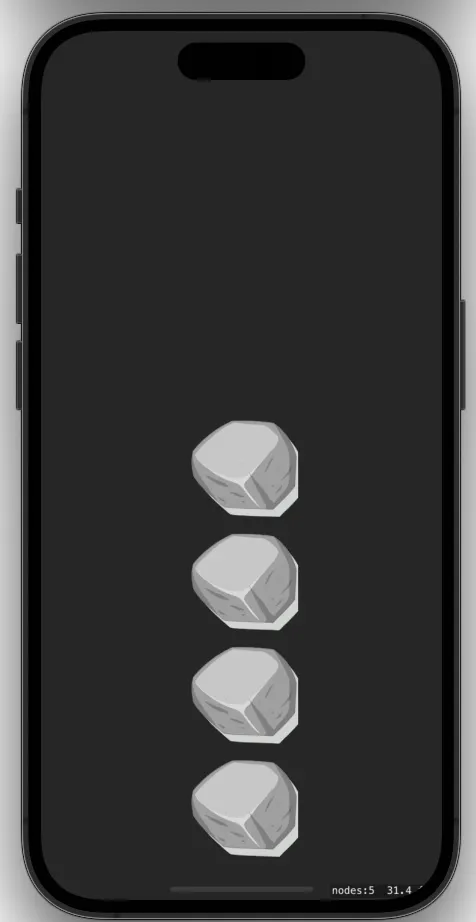 Image 1.1: 4
 SKSpriteNodes with 1 SKTexture
SKLabelNode
SKLabelNode is used for drawing a text into SKScene. Text created by SKLabelNode can be modified with its properties such as fontName and fontColor or using NSAttributedString with a property named attributedText.
Adding SKLabelNode to SKScene: Property Approach
The code below is an example of adding SKLabelNode to SKScene with its property modified. This code displays “Hello World” with white color in the middle of the screen.
import SpriteKit
import GameplayKit
class GameScene: SKScene {
override func didMove(to view: SKView) {
let label = SKLabelNode(text: "Hello World")
label.fontName = "SF Pro"
label.fontSize = 48
label.fontColor = .white
label.position = CGPoint(x: frame.midX, y: frame.midY)
addChild(label)
}
override func update(_ currentTime: TimeInterval) {
// Called before each frame is rendered
}
} Image 1.2: Creating
 SKLabelNode with property approach
Using SKSpriteNode, SKTexture, and SKLabelNode altogether in a Project
For example, I want to make a class that renders an image of rock with text above the surface of it on a SKScene. The code below is an example to implement SKSpriteNode, SKTexture, and SKLabelNode altogether.
import Foundation
import SpriteKit

class RockNode : SKSpriteNode {
    let textNode : SKLabelNode
    let rockString = "rock1"

    init(text: String){
        let rockTexture = SKTexture(imageNamed: rockString)
        let rockNode = SKSpriteNode(texture: rockTexture)

        rockNode.size = CGSize(width: 300, height: 240)

        textNode = SKLabelNode(fontNamed: "Skia")
        textNode.text = text
        textNode.fontSize = 48
        textNode.fontColor = .black
        textNode.zPosition = 1

        super.init(texture: nil, color: .clear, size: rockNode.size)
        addChild(rockNode)
        addChild(textNode)
    }

    required init?(coder aDecoder: NSCoder) {
        fatalError("init(coder:) has not been implemented")
    }
}
With the RockNode Class created, I can make a RockNode object by giving a text. The code below is the example to display 2 RockNode objects.
import SpriteKit
import GameplayKit
class GameScene: SKScene {
override func didMove(to view: SKView) {
let helloRock = RockNode(text: "Hello")
let worldRock = RockNode(text: "World")
helloRock.position = CGPoint(x: frame.midX, y: frame.midY + 150)
worldRock.position = CGPoint(x: frame.midX, y: frame.midY + 150 - worldRock.size.height)
addChild(helloRock)
addChild(worldRock)
}
override func update(_ currentTime: TimeInterval) {
// Called before each frame is rendered
}
}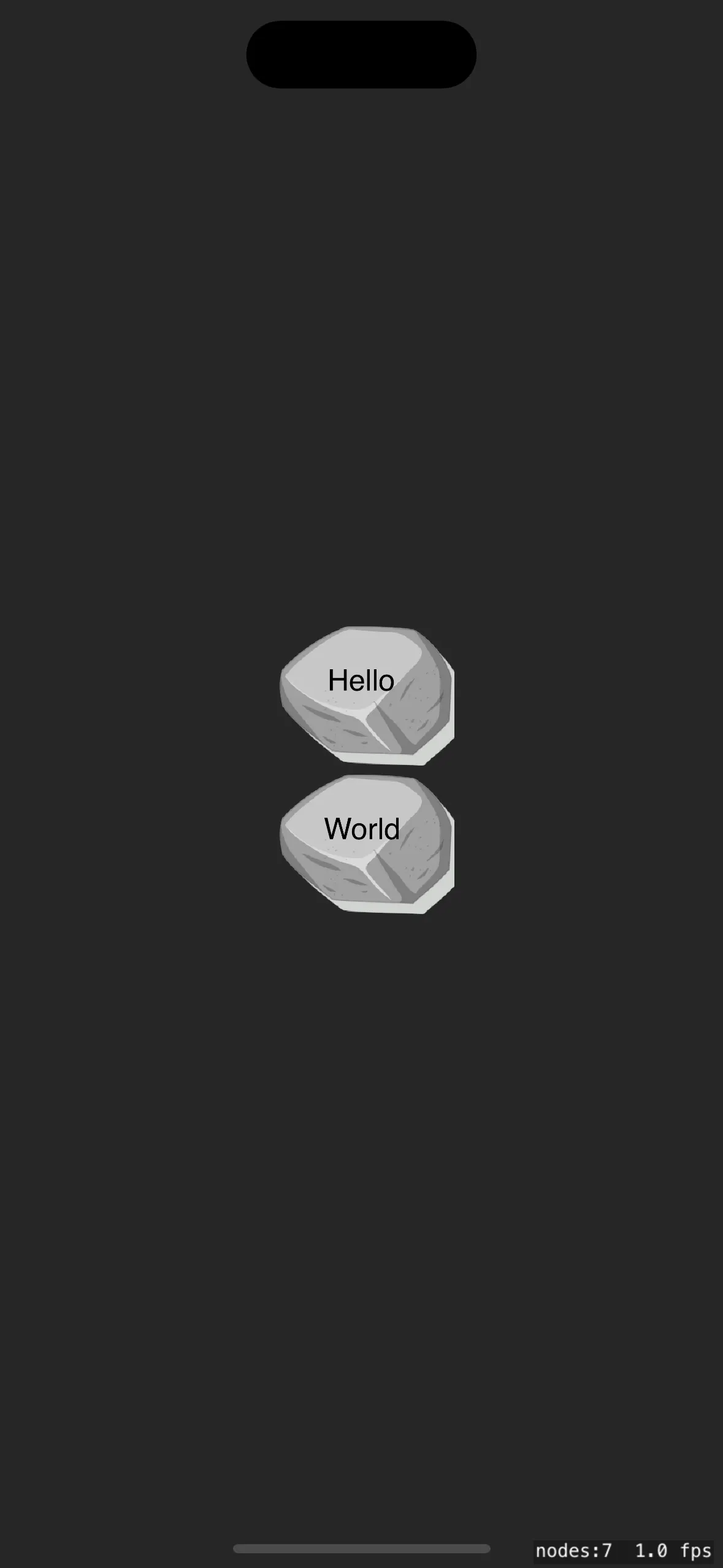 Image 1.3: 2 Rock Nodes with text
Always refer more information on the Apple Developer Documentation, SKSpriteNode, SKTexture, and SKLabelNode.
Other than SKSpriteNode, SKTexture, and SKLabelNode. there are still more actions that you can do to SpriteKit like creating actions using SKAction, creating particles using SKEmitterNode, setup physics in SKScene, and many more. Please refer to Apple Developer Documentation for more information.
